Hi-Res library
Browse by album, artist, genre or playlist, or open the Hi-Res view to see every album's bit depth and sample rate.
 kompos
Dkompos is a free music player for Apple Silicon Macs. It plays your local library and shows every step between the file and your DAC, so you can tell when playback is bit-perfect and when it isn't.
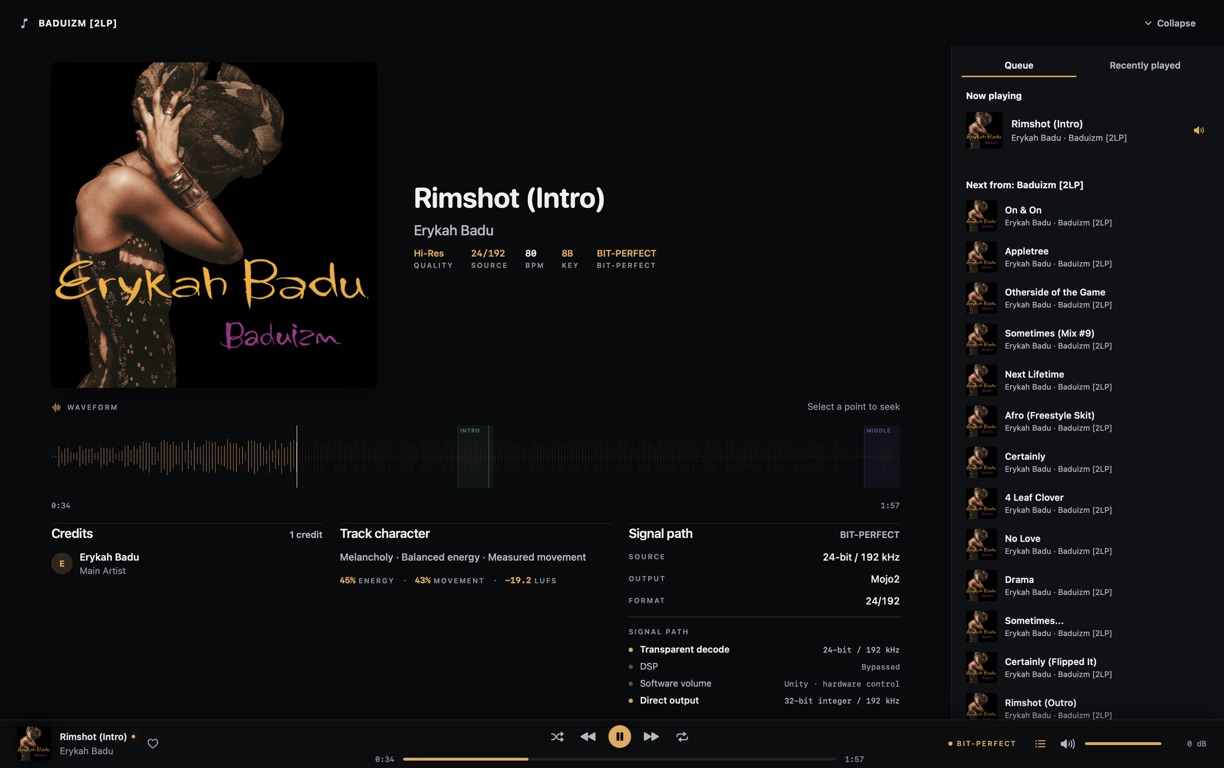
The bit-perfect badge only shows while every step qualifies, and goes away as soon as one doesn't.
Nothing to sign up for. Your music and listening history stay on your Mac.
Notarised by Apple, with a SHA-256 checksum published for every build.
No subscription and no paid tier.
A 24-bit file isn't bit-perfect on its own. EQ, app volume, resampling or a shared output can all change the samples before they reach your DAC. Dkompos watches each of those and labels the result while you listen.
How bit-perfect is checkedPlays at the file's own sample rate through a direct CoreAudio output, with effects and app volume bypassed. You set the volume on your DAC or amp.
Decoded once, with no effects, resampling or app volume. It's never called bit-perfect, because MP3 is lossy to begin with.
Plays through Dkompos's high-quality processed path, and the signal path shows which of these is switched on.
Converted to PCM for playback. Dkompos doesn't output native DSD.
Albums, playlists, Hi-Res, DJ crates and audiobooks all live in the same library and play through the same queue.
Browse by album, artist, genre or playlist, or open the Hi-Res view to see every album's bit depth and sample rate.
Dkompos works out BPM, Camelot key, loudness, energy and mood for every track, right on your Mac.
Lyrics scroll in time with the song. They come from your files, a lyrics file next to them, or LRCLIB if you turn online lookups on.
Sort tracks into crates, build sets by tempo, key and energy, and export them when you're ready to play out.
Chapters, bookmarks, playback speed and a sleep timer, and every book remembers where you stopped. Audiobooks have their own queue, so they never mix with your music.
Make a portable backup of your library and restore it when you need to. Dkompos also keeps a copy from before each upgrade.
Music keeps playing when your display sleeps, including the change to the next track.
Point Dkompos at the folders where your music lives and it builds the library from there. Home picks up where you left off, based only on what you've been playing. There's no store and no streaming catalogue.
More about the player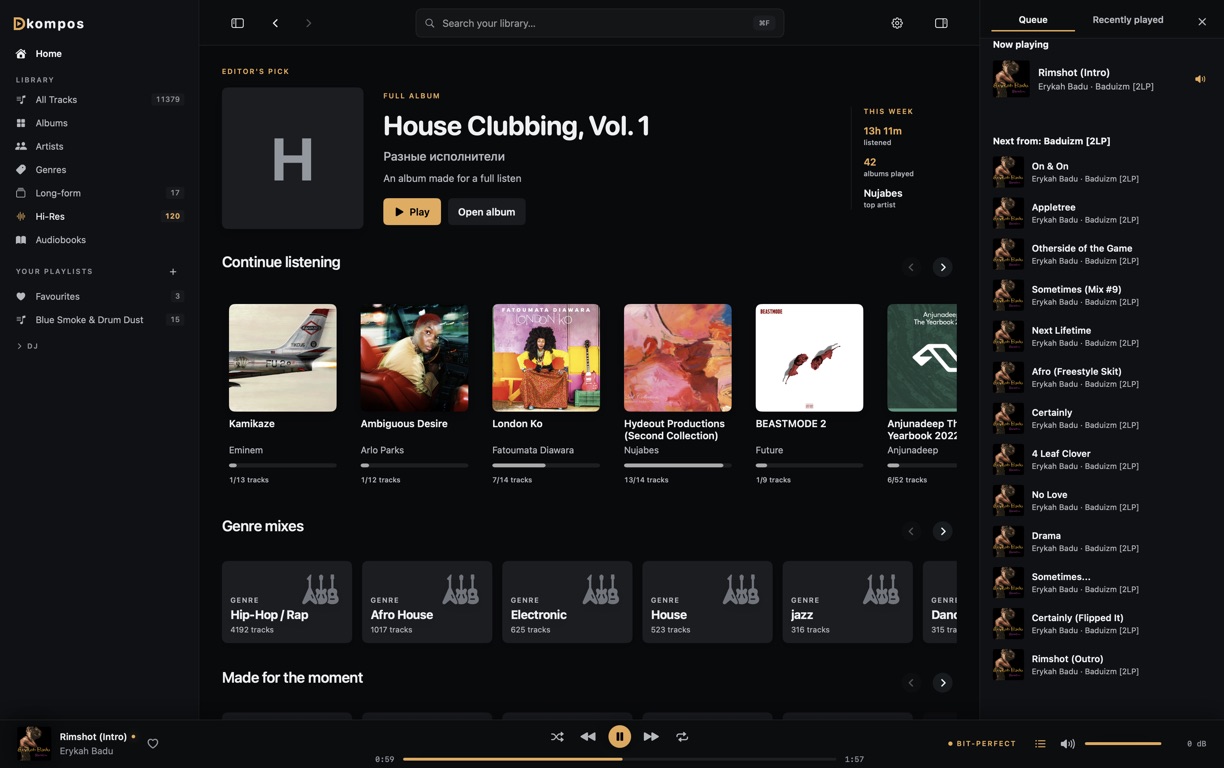
Anything else? Email hello@dkompos.com.
Yes. There's no paid tier, no subscription and no account.
Apple Silicon Macs running macOS 14.2 or later. There's no Intel version.
No. Your music files, library and analysis stay on your Mac. By default, Dkompos looks up artist photos and information on Deezer using artist names, and you can turn that off in Settings.
It labels every track by how it's really playing. Bit-perfect means a 16-bit or 24-bit stereo lossless file at its own sample rate, sent through a direct CoreAudio output with effects and app volume bypassed. MP3 can play as Direct decode but is never called bit-perfect. Tracks with EQ, app volume, resampling or DSD conversion are labelled Processed or Converted.
Yes. Dkompos shows which device it's playing to and the format it's sending, and only shows bit-perfect when the whole path to that DAC qualifies.
Yes. Every public build is signed with an Apple Developer ID, notarised by Apple and stapled. Checksums are on the Releases page.
Free for Apple Silicon Macs running macOS 14.2 or later. Open the DMG and drag Dkompos to Applications.