v2.0.12026 · 10 · 11
Pick your output, and a clearer look
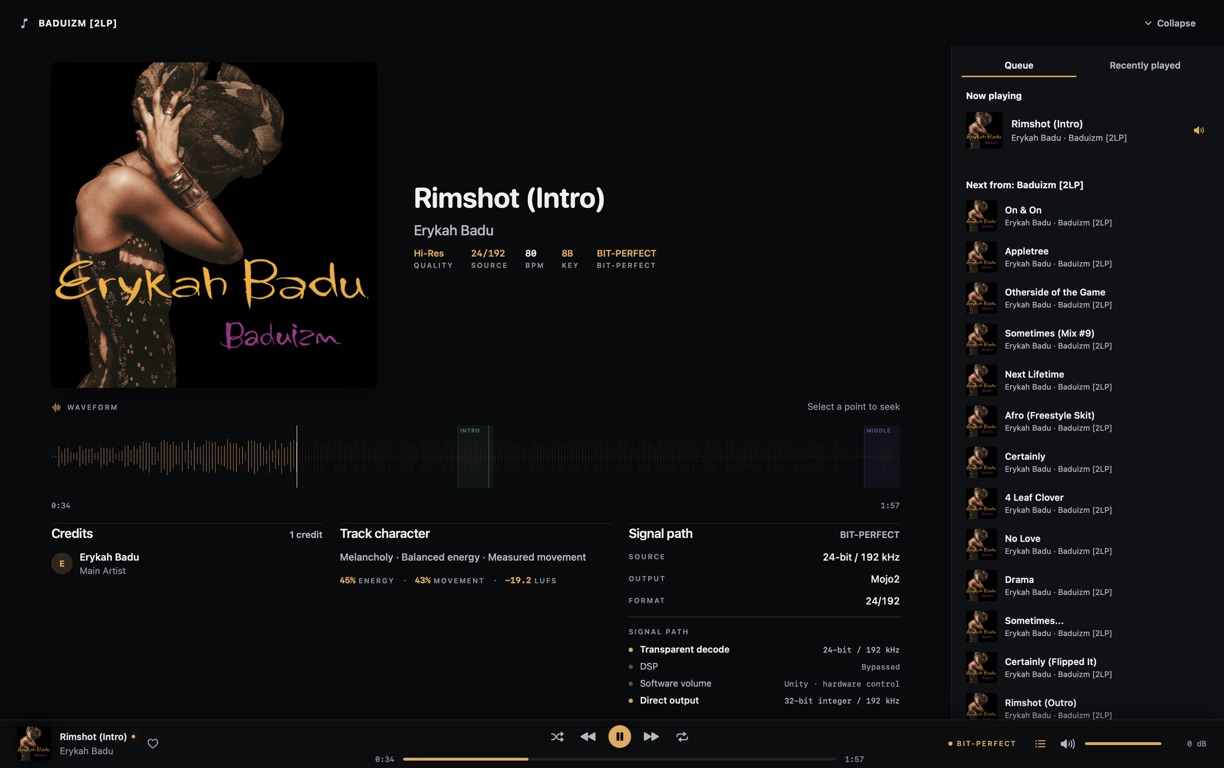
2.0.1 lets you choose the output device inside Dkompos, sets the whole app in a new typeface with clearer sizes, and fixes playback around seeking and device changes.
Playback
Choose your output
Pick the output device in Settings. Dkompos remembers the listening mode you used with each one.
Interface
Easier to read
Song titles are larger, details are quieter and headings are bold, all set in Instrument Sans.
Reliability
Steadier direct output
Direct output keeps its device when you seek, and copes better with device and mode changes.
Playback and output
- Choose the output device in Settings › Audio › Output. It shows how each device connects and its sample rate, and brings back the listening mode you last used with it. If macOS switches the output on its own, Dkompos offers your bit-perfect setting instead of applying it, so playback never pauses unasked.
- Bluetooth and AirPlay outputs now say they re-encode the sound; virtual, aggregate, HDMI and DisplayPort outputs say they may change it.
- Direct output uses a slightly larger buffer, about 40 ms, to avoid dropouts, and keeps its device when you seek.
- Changing devices or listening modes, or macOS restarting its audio service, no longer leaves stale settings behind. Choosing an output yourself leaves playback paused.
- The playback-path banner now only appears when the route gets worse, not when it becomes bit-perfect; the player bar already shows that.
Look and navigation
- Song titles are 16 pt, details 14 pt and section headings 24 pt bold, in Instrument Sans. Titles are regular weight; headings, buttons and tabs are bold.
- The logo and app icon are drawn from the same typeface, so the name reads as one word.
- Quieter icons, and focus and selection shown with soft highlights instead of outlines.
- A keyboard shortcuts sheet (⌘/), shortcuts for the sidebar and queue, Show Lyrics (⌘L), right-click menus on albums and playlists, Go to Album and Go to Artist on tracks, and a filter that jumps to the right part of Settings.
Upgrading to 2.0.1
You need an Apple Silicon Mac with macOS 14.2 or later. Your library opens as it is; nothing is migrated. Testing with more DACs and more sleep and wake situations is still going on.
Dkompos is still free, keeps your library on your Mac and needs no account. Instrument Sans is included under the SIL Open Font License, and the on-device MERT analysis model keeps its existing non-commercial licence.
Previous releasesv2.0.0 to v1.3.0
Only public builds are listed, so some version numbers are skipped.
v2.0.02026 · 09 · 10
Lyrics, backups and fewer interruptions
2.0.0 adds timed lyrics and library backups, and smooths out the moments that used to interrupt playback: changing tracks, seeking, plugging in a DAC and letting the display sleep.
Listening
Timed lyrics
Lyrics scroll in time with the track in Now Playing.
Library
Library backups
Back up and restore your library. Dkompos also keeps your pre-upgrade library.
Playback
Plays through display sleep
Music keeps going when the display turns off, including the change to the next track.
Playback and output recovery
- Smoother changes when you adjust effects, and track endings are no longer clipped when resampling, seeking, skipping or moving to the next track.
- The next track is prepared ahead of time again after Play, resume, Previous and seeking.
- Better handling of DACs being connected or removed, sample-rate changes, output access and playback that fails right at the start.
- If the output disappears, Dkompos no longer skips through the whole queue. Music keeps playing while the display sleeps, and playback stops cleanly when the Mac itself sleeps.
Library and browsing
- Library backup and restore, smaller analysis storage, and safer scans, upgrades and cancelled background tasks.
- Faster Hi-Res browsing, including albums where only some tracks are Hi-Res.
- Search, scroll position and keyboard focus are kept when you move between views or the library refreshes.
- Artwork mosaics for genres, generated playlist covers, more consistent artwork, and clearer messages in the queue and when playback recovers.
- Support bundles now include playback timing details to help diagnose problems.
Before you upgrade
You need an Apple Silicon Mac with macOS 14.2 or later. Your library is upgraded in place, so keep the pre-upgrade backup if you might go back to an older version. After the Mac itself sleeps, direct output stays paused until you press Play. Testing with more DACs and more sleep and wake situations is still going on.
Dkompos is still free, keeps your library on your Mac and needs no account. The on-device MERT analysis model keeps its existing non-commercial licence.
v1.6.62026 · 07
Older iTunes files open again
1.6.6 fixes a bug from 1.6.5 that stopped some older AAC and M4A files from opening. Files made by older versions of iTunes often pad their metadata with zeros, and 1.6.5 misread that padding as more media. Those files now open and play normally.
Compatibility
Older M4A files fixed
Older iTunes-authored files with padded metadata lists now open and decode normally.
Scope
One bounded fix
Only free and skip padding classification changes; strict atom boundaries remain intact.
Proof
Tested on the reported album
All 12 affected tracks decode completely with zero wrapper-versus-reference sample mismatches.
What went wrong
- Symphonia 0.6 correctly found the AAC stream but misclassified zero-filled
ilst padding as a metadata container.
- Dkompos now ignores
free and skip atoms in that metadata list, matching their ISO-MP4 purpose.
- Malformed nested atoms still fail closed; the broader size and allocation hardening remains unchanged.
How 1.6.6 was tested
The release adds an end-to-end padded-M4A regression fixture and
passes the full Rust workspace, release-profile allocation tests,
arm64 bridge and native app builds, Developer ID signing, Apple
notarisation, stapling, Gatekeeper assessment, and checksum
verification.
v1.6.52026 · 07
A new audio decoder, checked sample by sample
1.6.5 moves audio decoding to Symphonia 0.6. Every supported format was checked sample by sample against the old decoder, the library picks up more metadata, and damaged files are handled more safely.
Audio
Same decoded samples
A deterministic 17-format corpus checks exact decoded samples and bridge parity instead of assuming an upgraded decoder sounds the same.
Library
Better metadata
Typed tags, chapters, Matroska audio discovery, and quieter scan diagnostics carry more useful structure into the library.
Security
Safer file handling
Untrusted lengths are capped, allocations are fallible, and malformed-media behavior is exercised outside the app process.
Same output from the new decoder
- FLAC, ALAC, PCM, and MP3 handling use explicit codec and container policy rather than broad accidental acceptance.
- ALAC magic-cookie data is preserved through decoder setup, and MP3 selection follows its canonical codec identifier.
- End-of-stream, truncated-input, and recoverable decode conditions are classified consistently at the application boundary.
- A deterministic corpus across 17 formats verifies exact samples, frame counts, and Rust-to-Swift bridge parity.
More metadata in your library
- Typed metadata values retain their meaning instead of being flattened prematurely into arbitrary strings.
- RIFF INFO compatibility and ID3 chapter parsing recover common titles, people, dates, and audiobook structure.
- Matroska audio files are included in supported library discovery.
- Repeated scan failures are aggregated into quieter, actionable diagnostics rather than flooding the log.
Damaged files are handled safely
- Length-derived allocations are capped at 64 MiB before memory is requested.
- Fallible reservation maps invalid declarations and allocation failure to explicit errors instead of process aborts.
- Adversarial fixtures run in disposable child processes so a regression cannot take the qualification harness with it.
How 1.6.5 was tested
The release passed locked Rust compilation, formatting,
warnings-as-errors Clippy, the complete Rust workspace suite,
production bridge regeneration, native application compilation,
Developer ID signing, Apple notarisation, stapling, Gatekeeper
assessment, DMG verification, and checksum verification. The hosted
full-Xcode XCTest job did not execute because of current CI
infrastructure and remains tracked release debt.
v1.6.42026 · 07
More reliable output changes and a more consistent interface
1.6.4 makes switching between direct outputs more reliable and stops the queue from stalling between different formats. It also finishes a pass on spacing, motion and accessibility across the app, without changing the design.
Audio
Reliable output changes
Exact-output transitions coordinate, verify, release, and recover in a strict order without weakening the bit-perfect claim.
Motion
Smoother scrolling
Home scrolling no longer competes with shell, carousel, banner, hover, or selection animation.
Interface
Consistent layout
Collections, tables, settings, playlists, audiobooks, Now Playing, and DJ surfaces share consistent responsive rules.
Output changes that finish properly
- A new direct route waits until the outgoing lease has finished restoring and the device is quiescent.
- CoreAudio formats are read first, and only mismatched sides are written before bounded convergence.
- Registration, start verification, passive convergence, and one safe restart recovery remain separate phases.
- Progress-aware watchdogs no longer tear down a healthy route merely because one coarse wall clock expired.
The queue keeps moving between formats
- Natural completion and manual Next use the same supervised transition rules.
- Constant-rate changes such as 24-bit to 16-bit at 44.1 kHz no longer expose a restore-versus-coordinate race.
- Processed fallback cannot start while exact device restoration is still in progress.
- The Bit-Perfect badge still requires live non-mixable integer formats, exact native rate, exclusive ownership, and verified callback activity.
Same design, more consistent
- Home, collection, panel, feedback, hover, focus, and selection motion is scoped to the state that owns it.
- Responsive grids, table rows, controls, empty states, and shell columns now derive from shared geometry rules.
- Reduce Motion, text scaling, keyboard focus, VoiceOver labels, cursor feedback, and localisation are applied more consistently.
- Persistent bounded logs retain enough route evidence to diagnose a playback failure after the session ends.
How 1.6.4 was tested
The release passed Rust formatting, locked compilation,
warnings-as-errors Clippy, the complete Rust workspace suite,
production bridge regeneration, native application compilation,
Developer ID signing, Apple notarisation, stapling, Gatekeeper
assessment, and checksum verification. Exact-output queue advance
was also exercised against a physical Chord Mojo 2.
v1.6.32026 · 07
Side-by-side panels and steadier scrolling
1.6.3 turns the sidebar and queue into proper columns beside your content, keeps Albums, Artists and Genres loaded as you move between them, and stops page scrolling from competing with animations.
Shell
Side-by-side columns
The sidebar collapses to an icon rail and the queue opens beside the content at desktop widths, without covering Home.
Library
Views stay loaded
Albums, Artists, and Genres keep their completed results, controls, artwork, and scroll position across route changes.
Motion
Calmer motion
Panels, tabs, active rows, and artwork atmosphere use focused, reduced-motion-aware transitions that do not restart page layout.
Sidebar and queue as columns
- The full sidebar and compact icon rail remain mounted while only their clipped column allocation animates.
- The queue keeps its final internal width during open and close, preventing repeated text, artwork, and list remeasurement.
- Narrow windows retain intentional off-canvas panels; normal desktop layouts never overlay the library.
- Rapid reversals preserve motion continuity, and the queue returns correctly after expanded Now Playing closes.
No flash when switching views
- Store-owned browse snapshots preserve filters, sorting, readiness, completed results, and scroll anchors.
- Refreshes replace the visible projection only after the new result is complete.
- Clicking the active sidebar destination is a genuine no-op instead of republishing the whole workspace.
- Warm album art, artist portraits, album tracks, genre tracks, and discographies paint immediately on revisit.
- Home shelf width updates are debounced, and carousel corrections no longer compete with vertical scrolling during drawer movement.
- Album detail keeps its warm content visible while current data refreshes.
- Genre Albums and Tracks share one header and viewport, cross-fading while the native track table stays outside SwiftUI animation transactions.
- Queue sections own one vertical layout, preventing current and upcoming tracks from overlapping as playback changes.
Separate development and release apps
Development bundles are now visibly named Dkompos Dev and use a
separate bundle identifier and app path. Release builds retain the
production Dkompos identity, and launch tooling targets the exact
executable instead of a shared process name.
How 1.6.3 was tested
The release passed the complete Rust workspace gate, production
bridge regeneration, generated-binding drift verification, native
app compilation, Developer ID signing, Apple notarisation,
stapling, Gatekeeper assessment, and checksum verification.
v1.6.22026 · 07
One playback controller for music and audiobooks
1.6.2 puts music and audiobook playback under one controller, so the track, position, output and bit-perfect status always agree. Plugging in a DAC now switches output without restarting the app.
Playback
One playback controller
Music and audiobooks share preparation, transport, seek, completion, failure, and recovery mechanics without sharing their queues or history.
Outputs
Automatic output switching
Connecting a DAC or changing the Bluetooth default rebuilds the route and preserves the latest playback intent without an app restart.
Library
Faster Home
Home commits shelves in canonical order, artwork work is bounded and coalesced, and large-library pages retain a controlled window.
Playback
- Play, pause, seek, source replacement, completion, stop, failure, and route recovery publish through one managed supervisor.
- Rapid commands use latest-wins semantics, preventing stale play or pause acknowledgements from reversing the visible state.
- Audiobooks use the same reliable runtime while retaining isolated progression, history, and queue context.
- Device and stream handles are rebuilt when hardware changes; removal follows the configured managed-route policy.
- Independent Home sources run concurrently but publish in a fixed order, so slow work cannot make shelves pop, reorder, or suppress one another.
- Component timing and outcomes are observable, while candidate-cache writes happen after the visible snapshot is published.
- Artwork extraction and image decoding are capped at four concurrent operations, with duplicate requests coalesced and result order preserved.
- Large track libraries retain a bounded LRU window without evicting requests that are still in flight.
Analysis
Offline semantic analysis no longer stops at a fixed 3 GiB
application limit. It remains cancellable and isolated in a
disposable worker process, so macOS can manage demanding model and
library workloads without putting playback or the main app at risk.
Bit-perfect checks
The coherent runtime snapshot includes the live route and fidelity
evidence. Direct, processed, shared, and bit-perfect transitions are
explicit, and a hardware or runtime change revokes an outdated claim
immediately.
How 1.6.2 was tested
The candidate passed locked workspace compilation, warnings-as-errors
Clippy, the complete Rust suite, Swift bridge generation, production
app assembly, Developer ID signing, Apple notarisation, stapling, and
Gatekeeper validation.
v1.6.12026 · 07
Bit-perfect is now checked while you listen
From 1.6.1, a Hi-Res label, exclusive access or a file extension is no longer enough to show bit-perfect. The badge appears only after the whole playback path has been checked, and it keeps being checked while the track plays.
- Platform
- macOS 14+ · Apple Silicon
- File
- Dkompos_1.6.1_aarch64.dmg
- Size
- 276 MB
- Signing
- Developer ID · notarised · stapled
- SHA-256
- e9d3114b22654e5e380f8b08cf8faa68b9d905278569bd3786b61577bf8c1e04
Source
Exact stereo PCM
Qualifying 16-bit or 24-bit lossless audio, decoded without changing the sample values.
Route
Native and direct
Native source rate, direct non-mixable CoreAudio I/O, a compatible integer container, DSP bypassed, and software gain at unity.
Runtime
Checked while playing
Underruns, callback starvation, route changes, format changes, and runtime failures revoke the claim immediately.
How 1.6.1 handles different qualities
-
Bit-Perfect
16-bit and 24-bit PCM
FLAC, WAV, AIFF, and other qualifying stereo lossless sources.
Native rate, value-preserving integer output, DSP bypassed, unity software gain, and verified direct device ownership.
-
Direct Decode
MP3
Decoded once to canonical 32-bit integer PCM.
Native rate with no DSP, resampling, or software gain; never labelled bit-perfect because the encoded source is lossy.
-
Processed
Managed sources and DSP
AAC, OGG, Opus, Vorbis, unsupported layouts, EQ, ReplayGain, crossfeed, software volume, resampling, or channel adaptation.
Played through the managed floating-point path and labelled as processed or shared.
-
Converted
DSD · DSF · DFF
FIR-decimated to PCM.
No native DSD bitstream claim is made.
-
Dedicated
DJ and audiobooks
Purpose-built processed playback contracts.
Kept outside the transparent music contract and never given a bit-perfect badge.
Tested on real DACs
Device capability is inspected live. The release was validated against
direct integer playback on the FiiO K11 R2R and against the Chord Mojo 2's
capability-selected 32-bit container while preserving exact 16-bit values.
Dkompos also restores device state when the route closes.
Everything else in 1.6.1
- Unifies Home, All Tracks, Albums, Artists, Genres, Hi-Res, Mixes, playlists, Audiobooks, and Now Playing around one charcoal, content-first system.
- Stabilises Home shelves, listening statistics, Continue Listening, and More like this with deterministic, evidence-based recommendations.
- Makes scrolling consistent and responsive across library surfaces, with stable compact playlist headers and a responsive, album-led Now Playing page.
- Removes seek overshoot, delayed scrubber response, and volume snap-back while preserving one global playbar across every view.
- Keeps music and audiobooks in separate queue and listening-history lanes while preserving audiobook chapter progress and resume.
- Recovers direct and processed audio routes through output changes and interruptions instead of leaving playback in a false state.
- Ships signed, notarised, stapled, and Gatekeeper-validated DMG and app artifacts.
v1.6.0
2026 · 07
Unified playback, deeper discovery, and a calmer native library
This release brought Dkompos's native macOS experience together
around one clear listening surface, rebuilt the main library and
audiobook flows, expanded Home discovery, and simplified Settings.
- Platform
- macOS 14+ · Apple Silicon
- File
- Dkompos_1.6.0_aarch64.dmg
- Size
- 39 MB
- Signing
- Developer ID · notarised · stapled
- SHA-256
- 7d08e2e1f16403d415bfbd2fbb1c247dbfb110f8d73b6fcc1d43c963fac0d1cb
- Rebuilds album, artist, genre, playlist, and audiobook pages around clearer hierarchy and stronger playback context.
- Unifies music and audiobook playback in the global playbar and Now Playing rail.
- Adds richer Home discovery shelves, listening fingerprint summaries, and paged shelf navigation.
- Adds native queue actions and clearer row-level playback controls across library surfaces.
- Clarifies Shared and Exclusive output, Direct DSP bypass, EQ, crossfeed, ReplayGain, sample-rate policy, and resampling controls.
- Ships signed, notarised, stapled, and Gatekeeper-validated DMG and app artifacts.
v1.5.9
2026 · 06
Audiobook imports, album classification, and playback control polish
This build tightens the native macOS music experience with calmer
Spotify-inspired library surfaces, fixes audiobook import routing so
audiobook folders and files stay out of music tracks, repairs album
classification so one-track singles no longer flood Albums, and makes
scrubber and volume interactions respond from the clicked position.
- Platform
- macOS 14+ · Apple Silicon
- File
- Dkompos_1.5.9_aarch64.dmg
- Size
- 38 MB
- Signing
- Developer ID · notarised · stapled
- SHA-256
- 656ac2cc41d4c82e84986baa55535f7233a47edcf5bdb7e384e03922ec823c1a
- Adds native audiobook folder and file import actions backed by the audiobook import pipeline.
- Keeps audiobook folder imports out of the music-library folder scanner.
- Classifies only album-shaped music releases in Albums, genre albums, artist albums, and Hi-Res album views.
- Refines home shelves, search, album detail spacing, genre cards, and player controls toward a calmer Spotify-like pattern.
- Removes default blue focus borders and oversized or duplicated play controls from library surfaces.
- Makes scrubber and volume click or drag feedback move immediately from the clicked position.
- Updates the macOS app icon assets for the 1.5.9 release package.
- Ships signed, notarised, stapled, and Gatekeeper-validated DMG and app artifacts.
v1.5.8
2026 · 06
Artist-card focus and track-list hover polish
This build tightens native macOS visual states after the 1.5.7 QA
pass, so focused artist cards no longer look selected and album track
rows no longer keep stale hover backgrounds as AppKit recycles them.
- Platform
- macOS 14+ · Apple Silicon
- File
- Dkompos_1.5.8_aarch64.dmg
- Size
- 38 MB
- Signing
- Developer ID · notarised · stapled
- SHA-256
- bab6abbf8f9bb4c716116368158fd649d5cef0ce0510e6fce62f38fe7fb69369
- Removes the default macOS focus ring from artist cards so keyboard focus does not look like a blue selected or playing border.
- Refreshes reused album-detail track rows from the actual pointer position so hover highlights do not stick to unrelated rows.
- Bumps the native release bundle metadata to version 1.5.8 and build 158.
- Ships signed, notarised, stapled, and Gatekeeper-validated DMG and app artifacts.
v1.5.7
2026 · 06
First-run onboarding, library creation, and app icon hardening
This build now opens a per-user library database on first launch,
gives empty libraries a clear Add Music Folder flow, avoids leading
with disabled mood cards before analysis is ready, fixes installed-app
resource lookup, and ships a cleaned macOS app icon without the white
corner plate.
- Platform
- macOS 14+ · Apple Silicon
- File
- Dkompos_1.5.7_aarch64.dmg
- Size
- 38 MB
- Signing
- Developer ID · notarised · stapled
- SHA-256
- 992d857ce031609c5bdf305712d95e1aeffd35f14f50072eafc096b7f9479109
- Opens the per-user macOS Application Support library database on first launch.
- Replaces the empty-library dead end with a direct Add Music Folder onboarding action.
- Suppresses first-run "library is not open" notices and keeps disabled mood shelves from leading the home page.
- Fixes the installed-app crash from SwiftPM resource bundle lookup on customer Macs.
- Loads the brand mark from the signed app resource bundle instead of the build-machine fallback.
- Makes release packaging fail fast when the required resource bundle or brand asset is missing.
- Refreshes the app icon so transparent corners no longer render as an opaque white plate.
- Refreshes generated Swift bridge bindings and UniFFI checksum guards.
v1.5.6
2026 · 05
DJ deck, waveform, mixer, and native bridge updates
This build deepens the native macOS DJ surface with richer deck and
set workflows, waveform support, mixer/audio-engine hardening, and
additional core bridge coverage for the Swift app.
- Platform
- macOS 14+ · Apple Silicon
- File
- Dkompos_1.5.6_aarch64.dmg
- Signing
- Developer ID · notarised · stapled
- SHA-256
- 2a9f98a17e0f042381ccd6456ed861f4861d51fe0f4d168c3af262babde4ed4a
- Expands the native DJ deck interface with deeper controls and richer state.
- Adds waveform support to the native library workflow.
- Updates DJ crate and set composition views for the native macOS app.
- Hardens mixer/audio-engine behaviour for the native playback path.
- Extends the Rust-to-Swift bridge and adds native routing/error coverage.
v1.5.5
2026 · 05
Native macOS package with a smaller signed and notarised DMG
This build ships Dkompos as a native macOS app bundle, replacing the
retired Tauri shell and reducing the public Apple Silicon download
footprint while keeping the release signed, notarised, stapled, and
Gatekeeper validated.
- Platform
- macOS 14+ · Apple Silicon
- File
- Dkompos_1.5.5_aarch64.dmg
- Signing
- Developer ID · notarised · stapled
- SHA-256
- 0731c70b7db12f01f5bad50e1a7eee8780ad91d7c26f06726d94bbee57783dc9
- Ships as a native macOS app bundle for the public Apple Silicon release path.
- Reduces the DMG download from the previous large web-shell package to about 37 MB.
- Builds and packages the Rust/Swift bridge into a self-contained release bundle.
- Notarises and staples both the app and the final DMG, then validates them with Gatekeeper.
- Includes a standard drag-to-Applications DMG layout.
v1.5.4
2026 · 05
Library-scale search, Hi-Res pagination, and interface control polish
This build moves global search and Hi-Res browsing onto backend
paginated summaries, keeps literal wildcard searches honest, and
tightens virtualized list refreshes so stale async page loads cannot
disturb a newer view.
- Platform
- macOS 11+ · Apple Silicon
- File
- Dkompos_1.5.4_aarch64.dmg
- Signing
- Developer ID · notarised · stapled
- SHA-256
- 35ba7828a2119570584d9e102c3a7131593e6882409b2f9b2083fe07cc599cd1
- Search now uses backend counts and paginated summaries instead of materialising large libraries in the UI.
- Hi-Res browsing is paginated and searchable without pulling every hi-res track into memory.
- Search treats percent and underscore characters literally, while also matching album artist, genre, and path.
- Virtualized lists ignore stale page loads and stale errors after invalidation.
- Track, queue, playlist, and shelf actions use explicit controls with stronger keyboard and popover behavior.
v1.5.3
2026 · 05
Shuffle fix and better responsiveness
This build fixes a shuffle edge case where a selected track could
land at the internal end of the queue, making Next and end-of-track
continuation appear to do nothing. It also keeps the production
WebKit runtime calmer during long listening sessions by reducing
steady native event traffic into the interface.
- Platform
- macOS 11+ · Apple Silicon
- File
- Dkompos_1.5.3_aarch64.dmg
- Signing
- Developer ID · notarised · stapled
- SHA-256
- 307dd3d6b3da1fd04ca36d6af02dc6f435d9950a796509cb668e388a69e15daa
- Anchors freshly selected shuffle queues on the selected track so Next and automatic continuation keep moving.
- Repairs restored shuffle sessions when persisted queue state has no in-memory shuffle order.
- Preserves the current track while inserting, appending, removing, or reordering shuffled queue items.
- Reduces production WebKit event pressure by disabling unused buffer-stat events and moving output meters to visible polling.
- Adds listener-start guards for long-running playback state stores.
v1.5.1
2026 · 05
First public release: library automation, audiobooks, mixes and playback fixes
This build moves Dkompos from a local preview into a public macOS
distribution: the DMG is signed with Developer ID, accepted by Apple
notarisation, stapled, and validated with Gatekeeper.
- Platform
- macOS 11+ · Apple Silicon
- File
- Dkompos_1.5.1_aarch64.dmg
- Signing
- Developer ID · notarised · stapled
- SHA-256
- 7dce38e21b9f8a2a349bcedb9409d83f5b6e2ba9edbbe3b70b087a3cebe07f3d
- SQLite connection pooling and blocking I/O isolation keep the interface responsive during heavy scans and imports.
- Folder automation now detects added and removed files, keeps Recently Added current, and avoids stale library rows crashing playback.
- Audiobooks sit outside the music category with chapter progress, resume behaviour, and folder-structure tolerant import rules.
- Music tracks longer than 30 minutes are separated into Mixes so albums, tracks, and audiobooks stay clean.
- Playback highlighting, progressive all-tracks queueing, output-device fallback, and album disc grouping are hardened.
v1.3.0
2026 · 04
Professional audio settings, signal-path clarity, DJ workflow
Direct and DSP signal-path readouts, ambient mixing, ReplayGain and crossfeed controls, and DJ triage, crates, set building and export.